 Framewise
Windows · beta in testing
Describe the edit. Keep full control.
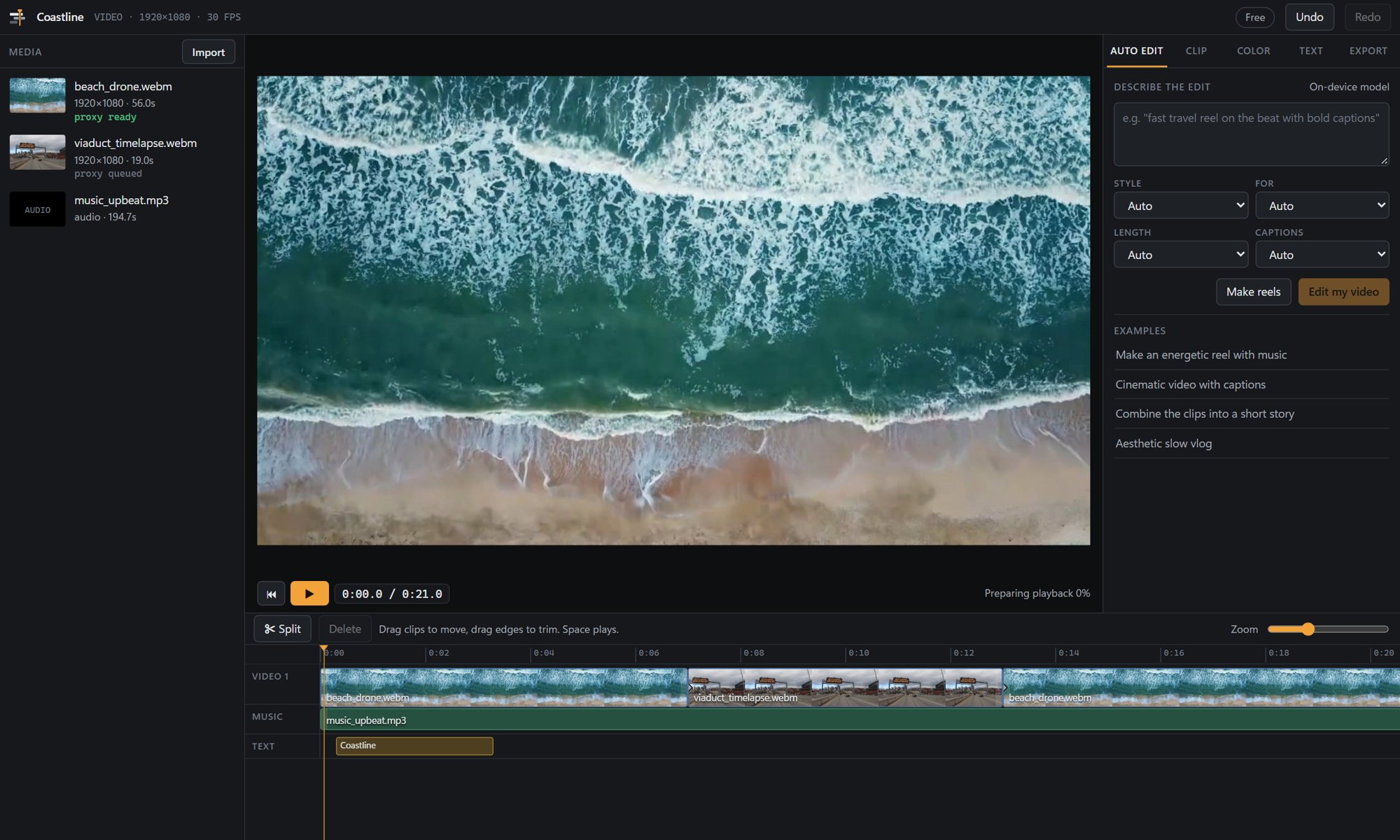
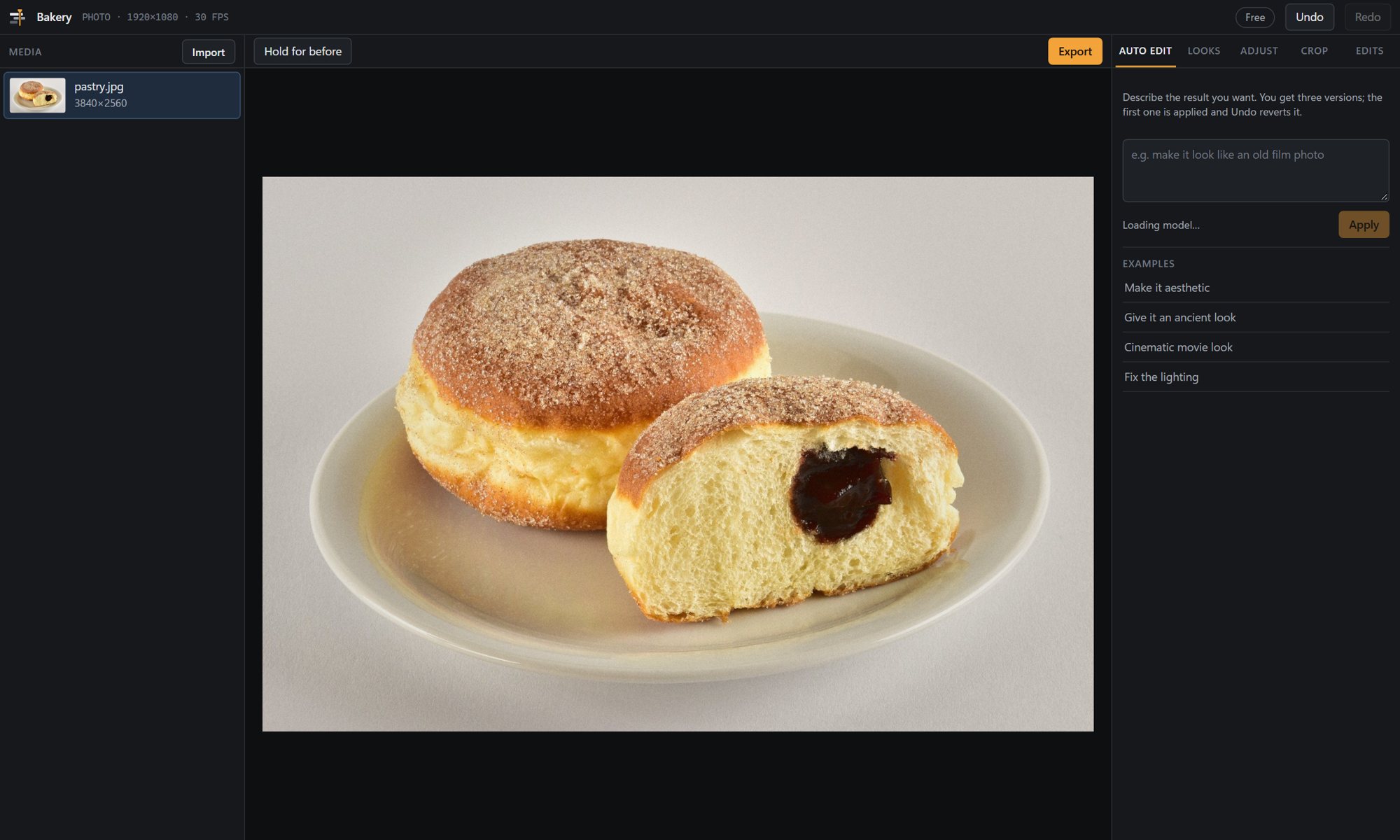
Framewise cuts, colours, captions and exports your footage from a short description, then hands you an ordinary timeline to refine. It runs entirely on your PC, with no subscription.
Workflow
From raw clips to a finished cut in three steps.
Import
Phone clips, camera files, photos and music. Long recordings are transcribed so the editor knows what is said and when.
Describe
"30-second travel reel, upbeat, captions." Pick a style and a platform, or leave both on Auto.
Refine
Choose one of three versions, then adjust anything on the timeline. Each version is a single undo step.
Features
The tedious parts, done for you.
- Reels from long videoBest moments first, pauses and filler words removed, the speaker kept in frame for 9:16.
- CaptionsWord-timed, with the spoken word highlighted. Placed clear of faces and on-screen titles; .srt export included.
- ColourExposure and white-balance fixes plus looks for travel, food, portraits and film.
- TimelineLayers, overlays, blend modes, opacity and keyframes when you want to take over.
- ExportPlatform presets for TikTok, Reels, Shorts and YouTube. NVIDIA hardware encoding when available.
Automation · Pro
Run it from n8n, scripts or agents.
Start the engine without a window and send it jobs. Cloud clipping services bill per minute of video; this runs on hardware you already own.
# one long video in, three TikTok reels out
framewise reel talk.mp4 --platform tiktok --set count=3 --out shorts/

# captions burned in, plus an .srt
framewise captions interview.mp4 --set style=boxed

# headless API on 127.0.0.1:8765
framewise serve

curl -X POST http://127.0.0.1:8765/v1/jobs \
  -H "Authorization: Bearer $KEY" \
  -d '{"recipe":"reel","inputs":["f_..."],
       "output":{"platform":"tiktok","length":30},
       "webhook":"https://n8n.example/hook"}'
Privacy
Your footage stays on your computer.
On-device processing
Speech recognition and the editing model run locally.
No account
Install and edit. Pro keys are verified offline.
No telemetry
Nothing is sent unless you configure a webhook or a download.
Your exports
No watermark, including on the free plan.
Pricing
Free to edit. Pay once to automate.
Planned launch pricing; it may change before release.
Free
The full desktop editor.
- Photo and video editing from a description
- Captions, colour, titles, music
- Exports without a watermark
- Command line: one reel per video
Pro
Everything in Free, plus automation.
- Headless API for n8n, Zapier and scripts
- Webhooks, watch folders, batches
- Up to 10 reels per video
- 14-day trial, no card required
Studio
For agencies and teams.
- Commercial multi-seat licence
- Priority support
- Everything in Pro
Windows first. macOS (Apple Silicon) and Linux to follow.
FAQ
Before you install
What PC do I need?
Windows 10 or 11 with 8 GB of memory or more. Any recent processor works; an NVIDIA graphics card speeds up exports. On an 8-core laptop a 30-second 1080p reel exports in about three minutes, and the app measures your PC during setup.
Is anything uploaded?
No. Editing, transcription and the editing model all run locally. The only network traffic is what you set up yourself, such as a webhook to your own n8n.
How does an offline licence work?
A Pro key is digitally signed. The app verifies the signature on your machine, so it keeps working without internet and there is no licence server to depend on.
Can cloud n8n reach it?
Yes, through a secure tunnel to your PC that has its own authentication. The editor itself never needs a server of ours.
Can I edit by hand?
Always. Automatic edits produce a normal timeline with clips, transitions, colour and captions that you can change one by one.